
This document is a firmware installation guide for the D-Link DI-524UP Wi-Fi router. By updating the firmware, the router will have the option to become a Tomizone Wi-Fi Hotspot.
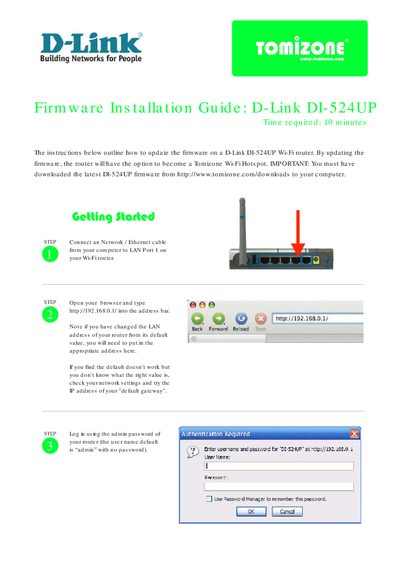
This guide walks you through connecting a computer to the DI-524UP router, accessing the web interface at http://192.168.0.1/, and logging in with the default credentials (username “admin” with no password). It then explains how to use the Tools → Firmware section to locate and apply a downloaded firmware file, and warns not to power off the router until the upgrade counter reaches zero.
After the firmware update, the document shows how to enable the Tomizone Wireless Hotspot, set an SSID, assign Tomizone ports, and activate the router with your Tomizone account. Follow the step‑by‑step instructions to complete the configuration and start using the hotspot.
| Wireless Standard | 802.11g/2.4GHz |
|---|---|
| Current Firmware Version | v1.03-tomi_v1.1 |
Enter http://192.168.0.1/ in your web browser’s address bar.
The default username is “admin” and there is no password.
Open the Tools → Firmware page, browse to the downloaded firmware file, click Apply, and wait for the counter to reach zero before powering off.
Go to the Tomizone tab, tick the “Tomizone Wireless Hotspot” box, set an SSID, and click Activate.