
TP-Link TL-PA201 200Mbps Powerline Ethernet Adapter Starter Kit is a good choice to establish a powerline network, you just need to plug in the power socket to enjoy the network throughout the house, no need to pull the network cable
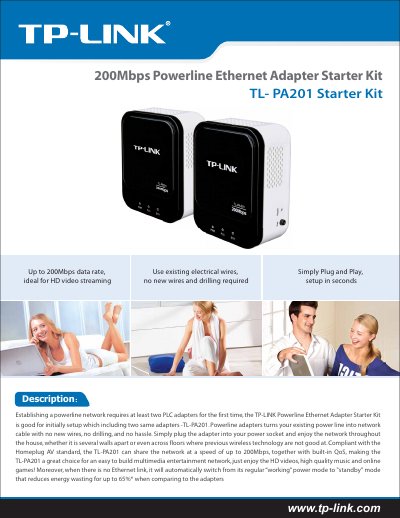
The TL-PA201 Powerline Ethernet Adapter Starter Kit lets you create a network using existing electrical wiring. The kit includes two identical TL-PA201 adapters that plug into standard power sockets and provide up to 200 Mbps data rates, ideal for HD video, music, and online gaming.
This guide covers quick plug‑and‑play installation, the built‑in QoS and 128‑bit AES security features, power‑saving standby mode (up to 65% reduction), and technical specifications such as range (up to 300 m), interface, dimensions, and operating conditions.
| Standards | Homeplug AV, IEEE 802.3 |
|---|---|
| Data Rate | Up to 200 Mbps |
| Security | 128‑bit AES |
| Range | 300 meters in house |
| Interface | 1 × 10/100 Mbps Ethernet port |
| Dimensions | 3.6 × 2.8 × 1.7 in (92 × 70 × 44 mm) |
| Weight | 125 g |
The kit includes two identical TL-PA201 adapters.
The TL-PA201 can transmit data at speeds up to 200 Mbps.
It can reach up to 300 meters within a house.
Energy consumption is reduced by about 65 % in standby mode.