
Logitech G25 Wheel Setup Guide

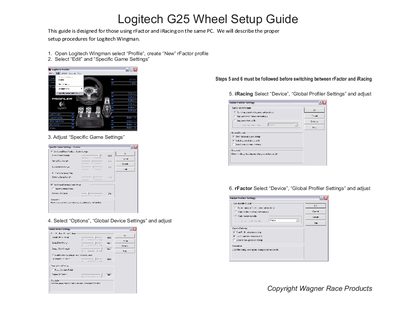
This is a game setup guide for Logitech G25 game controller in rFactor and iRacing games

Logitech G25 Wheel Setup Guide - cover page
Brand
Logitech
Category
Other Computer Accessories
Document type
User Manual
Language
English
Pages
1
File format
PDF
File size
951 KB
Published
07 May, 2012
Updated
30 September, 2023
MD5 checksum
252025100E2CF1F289CFE57398CD6640

About this manual

This guide explains how to configure the Logitech G25 wheel using the Logitech Wingman software. It walks you through creating a new profile for rFactor, editing specific game settings, and adjusting global profiler options.

The document also details the steps required before switching between rFactor and iRacing, including setting global device options and enabling automatic profile loading at startup.

What's inside

  • Setup Guide
  • Profile Creation
  • Global Profiler Settings
  • Specific Game Settings
  • Device Settings

Frequently asked questions

How do I create a new rFactor profile in Logitech Wingman?

Open Logitech Wingman, select “Profile”, and create a “New” rFactor profile.

What must be done before switching between rFactor and iRacing?

Follow steps 5 and 6, which involve adjusting the global profiler settings for each game.

Download PDF (951 KB)

More Logitech Manuals


View all Logitech manuals →