
Logitech Alert™ 750i is a video security system that comes with everything you need to help protect what’s important to you—smart cameras, powerful software, and the ability to keep you informed.
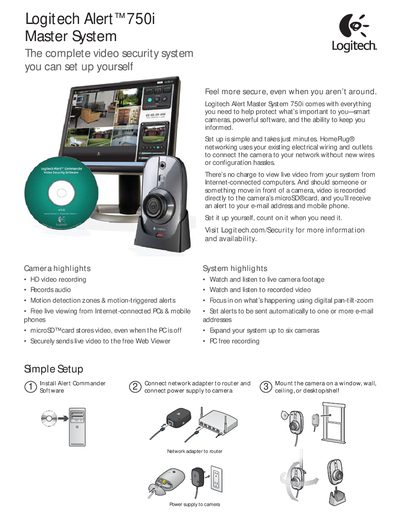
The manual introduces the Logitech Alert™ 750i Master System, describing its HD video recording, audio capture, motion detection zones, and live viewing via PCs or mobile devices. It explains the simple setup using HomeRug® networking, power supply connections, and the included accessories such as the camera, power cable, and mounting hardware.
Additional sections cover subscription options for Web Commander, system requirements, detailed camera specifications (resolution, frame rate, lens, power consumption), operating environment limits, and physical dimensions. The document also lists what is included in the box and provides guidance for expanding the system up to six cameras.
| Power consumption | 3 watts |
|---|---|
| Input voltage | 90-264 Volts AC, 50/60 Hz |
| Weight | 3.7 oz (105 g) |
| Camera dimensions | Height 11.35 cm, Width 7.15 cm, Depth 4.53 cm |
| Minimum video storage per camera | 2 GB |
| Operating temperature range | +32°F to +113°F (0°C to +45°C) |
| Humidity range | 5% to 90% (non‑condensing) |
| Maximum resolution | 1600 × 1200 |
| Maximum frame rate | 15 fps |
| Viewing angle | 132° diagonal |
The system can be expanded to support up to six cameras.
Video is recorded directly to a microSD card inserted in the camera.