
MTX 3252/MTX 3352/MTX 3240/MTX 3250/MTX COMPACT series oscilloscope-analyzers are high-end products with concise appearance, powerful functions and innovative operation methods, which can meet the needs of various high-end users.
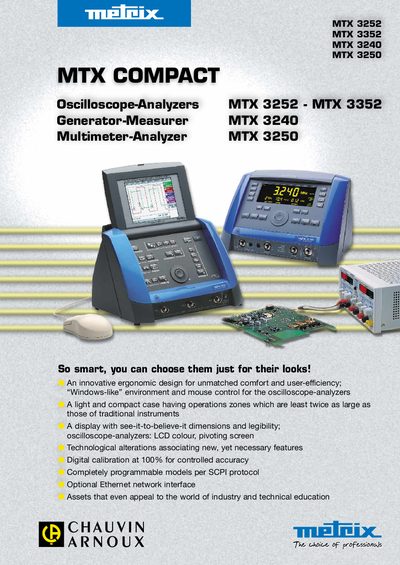
The Metrix MTX Compact family includes the MTX 3252 and MTX 3352 oscilloscope‑analyzers, the MTX 3240 stand‑alone function generator‑measurer and the MTX 3250 multimeter‑analyzer. All models share an ergonomic, Windows‑like interface, mouse control, and optional Ethernet connectivity for remote operation.
The manual provides operating instructions, specifications, interface options, and ordering information for each model, along with safety and compliance details. The compact design, built‑in handle and large LCD display make the instruments easy to transport and use in laboratory or field environments.
| Bandwidth (MTX 3252) | 60 MHz |
|---|---|
| Bandwidth (MTX 3352) | 100 MHz |
| Display size | 5.7‑inch LCD (monochrome or colour) |
| Number of channels (oscilloscope) | 2 |
| Maximum sampling rate | 20 GSa/s |
The MTX 3252 provides two input channels.
The instrument can sample at up to 20 GSa/s.
Yes, models with the optional Ethernet interface can be accessed and controlled over a network using an HTML server.