
This manual introduces the basic usage methods of motorola H670 Bluetooth headset, including how to connect and charge
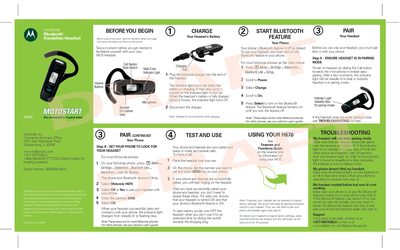
The guide provides step‑by‑step instructions for setting up the Motorola H670 Bluetooth hands‑free headset, including pairing with a phone, charging the battery, and basic call functions. It also covers how to turn the headset on and off, adjust volume, and reset to factory settings.
Additional sections explain earhook installation, wearing the headset, indicator‑light meanings, and troubleshooting tips for common pairing or connectivity issues.
| Charging time | about 2 hours |
|---|---|
| Passkey | 0000 |
| Indicator light behavior when idle | stops flashing after 30 minutes of inactivity |
It takes about 2 hours for the battery to become fully charged.
Slide the switch toward the charging plug; the indicator light will turn off.