
DSR500 Series graphical symbols and supplemental warning marking locations on the bottom of the terminal. WARNING: To reduce the risk of fire or electric shock, do not expose this unit to rain or moisture. Do not open the unit. Refer servicing to qualified personnel only. CAUTION: To prevent electric shock, do not use this (polarized) plug with an extension cord receptacle or other outlet unless the blades can be fully inserted to prevent blade exposure. Lightning Flash Icon The lightning flash with arrowhead symbol within an equilateral triangle is intended to alert the user to the presence of un-insulated “dangerous voltage” within the product’s housing that may be strong enough to constitute a risk of electric shock to persons. Exclamation Point Icon The exclamation point within an equilateral triangle is intended to alert the user to the presence of important operating and maintenance (servicing) instructions in the literature accompanying the appliance. This installation should be made by a qualified service person and should conform to all local codes. REPAIRS: If you find the unit in need of repair, contact your system provider for repair or replacement. NOTE TO SYSTEM INSTALLER The purpose of this reminder is to call your attention to Article 820-40 of the NEC that provides guidelines for proper grounding and, in particular, specifies that the cable ground shall be connected to the grounding system of the building, as close to the point of cable entry as pra
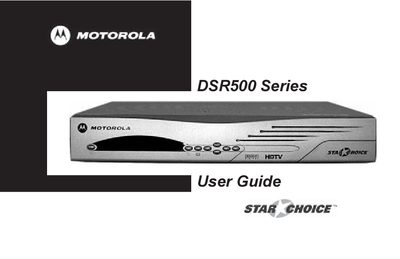
This guide begins with essential safety information for the DSR500 Series receiver, including warnings about moisture, electrical shock, proper grounding, and ventilation. It also outlines installation requirements such as antenna grounding, cable protection, and the need for qualified service personnel.
The manual then describes the receiver’s front‑panel controls, remote‑control functions, video mode selection, and warranty coverage. It includes troubleshooting tips, FCC compliance notes, and contact information for support.
| USB Port | Present |
|---|---|
| Video Modes | 1080i, 480p, 480i, Native |
| Hearing‑Aid Compatible | Yes |
| Power Plug | Polarized AC line plug |
Do not expose the unit to rain or moisture, do not open the unit, ensure proper grounding, keep it away from heat sources, and maintain ventilation.
The receiver’s REN is 0.3B, and the total REN on a line should not exceed five.
The SIGNAL LED shows green for a good satellite signal and red for no signal; the TIMER LED steadies when a timer is set and flashes when a timer program is active.