
Philips RCR312WR / RCR311BR / RCR311BIR / RCR311SR / RCR311STR Universal Remote Control Owner's Manual

This document provides instructions and precautions for using a universal remote control, including power-saving features, programming methods, and battery usage precautions.
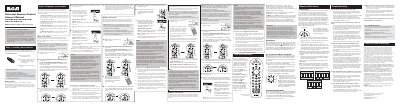

Philips RCR312WR / RCR311BR / RCR311BIR / RCR311SR / RCR311STR Universal Remote Control Owner's Manual - cover page
Brand
Universal
Category
Other
Document type
User Manual
Language
English
Pages
2
File format
PDF
File size
2.2 MB
Published
03 May, 2012
Updated
29 September, 2023
MD5 checksum
7F17993617C371EB8A1AAB96EC85ED7F

About this manual

The Philips universal remote control operates multiple devices such as TVs, satellite receivers, VCRs and DVD players. It includes features like an illuminated ON/OFF indicator, backlight control, and menu/guide navigation.

The manual details four programming methods—Auto Code Search, Brand Code Search, Direct Code Entry, and Manual Code Search—plus battery installation, care and maintenance, code retrieval, and troubleshooting steps for common issues.

What's inside

  • Care and Maintenance
  • Battery Installation
  • Programming Methods
  • Auto Code Search
  • Brand Code Search
  • Direct Code Entry
  • Manual Code Search
  • Code Retrieval
  • Accessing Device Menus and Guides
  • Troubleshooting

Specifications

Battery typeTwo AA alkaline batteries

Frequently asked questions

How many batteries does the remote need?

The remote requires two AA alkaline batteries.

How do I start the Auto Code Search programming method?

Press and hold the device key and the ON/OFF key together, then follow the on‑screen prompts as the remote automatically searches all codes.

Download PDF (2.2 MB)

More Universal Manuals


View all Universal manuals →