
This manual introduces the user’s guide of Silicon Laboratories’ USB FM Radio-RD.
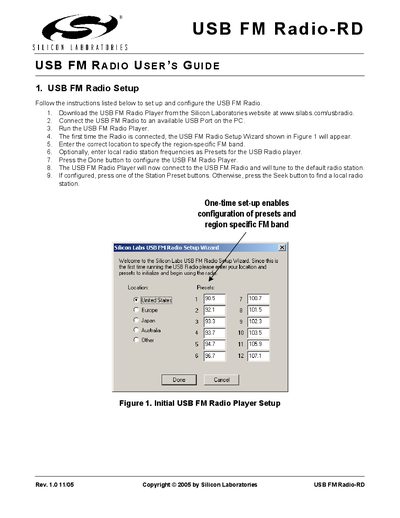
This guide explains how to set up the USB FM Radio-RD. Download the USB FM Radio Player from Silicon Laboratories' website, connect the device to a USB port, run the player, and complete the one‑time setup wizard to configure the region‑specific FM band and optional station presets.
The manual also describes the USB FM Radio Player interface, including station preset buttons, Seek & Scan, Preset Scan, configuration options, keyboard shortcuts, and tooltip help. It lists the available controls for tuning, volume, RDS display, and signal strength, and provides contact information for Silicon Laboratories support.
Download the player, connect the radio to a USB port, run the player, and follow the setup wizard to specify the FM band and presets.
Press the desired Station Preset button until a beep is heard; the button will be set to the current station.
Press the Seek & Scan button (or the Preset Scan button) until a beep is heard to start scanning through available stations.