
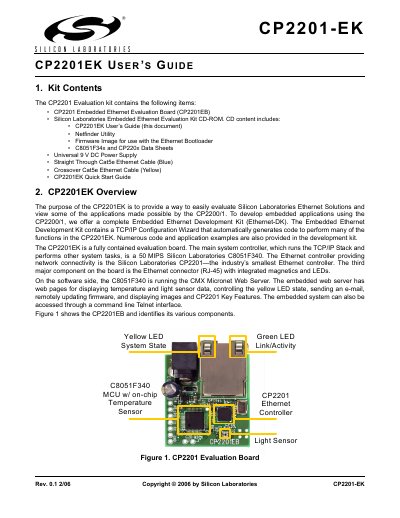
The CP2201 Evaluation kit includes CP2201 Embedded Ethernet Evaluation Board and other supporting materials, which are used to evaluate the performance and applications of Silicon Laboratories Ethernet Solutions. The evaluation board is a fully contained board, with the main system controller being Silicon Laboratories C8051F340, and the Ethernet controller providing network connectivity being Silicon Laboratories CP2201.
The CP2201-EK User Guide provides step‑by‑step instructions for setting up the CP2201 Evaluation Kit, which includes the CP2201EB board, a 9 V DC power supply, Ethernet cables, and a CD with software utilities. It explains hardware connections, network configuration, and how to use the Netfinder utility to locate and manage the board on a network.
The guide also describes the kit’s demo functions such as monitoring sensor data via a web browser or Telnet, controlling the yellow status LED, sending e‑mail, and updating firmware through the bootloader. Appendices cover cable options, PC static‑IP configuration, and a schematic diagram.
| Ethernet controller | Silicon Laboratories CP2201 |
|---|---|
| Power supply | Universal 9 V DC |
| Ethernet connector | RJ‑45 with integrated magnetics and LEDs |
| Included cables | Straight‑through Cat5e (blue) and crossover Cat5e (yellow) |