
This is a Vivitar DVR 920HD Digital Video Camera user manual, which introduces the camera's features, usage and maintenance
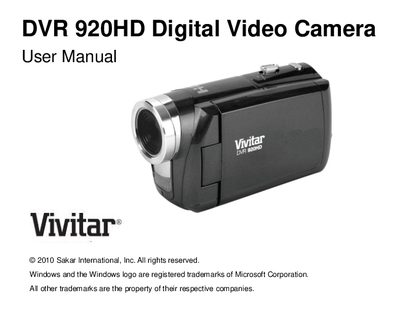
This manual covers everything you need to get started with the Vivitar DVR 920HD digital video camera, including a list of supplied accessories, detailed technical specifications, and system requirements for both Windows and Macintosh computers.
It explains how to prepare the camera, use its various shooting modes, connect it to a TV or computer, and perform routine maintenance. The guide also includes warranty information, technical support contacts, and a troubleshooting section for common issues.
| Image Sensor | CMOS Sensor |
|---|---|
| Image Resolution | 3264x2448 (8M) |
| Video Resolution | 1280x720 (HD) |
| Lens | 7mm, F3.0 |
| Digital Zoom | 4X |
| ISO Range | 100/200/400/800 |
| Battery | 4× AAA (1.5V) batteries |
| LCD Display | 2.4‑inch TFT (270° view) |
| External Memory | SD Card up to 32 GB |
Make sure you have actually taken photos, keep the camera powered on while transferring, and verify that the images are saved to the SD memory card; photos saved to the card will appear after transfer.
Use an SD card for normal operation and download your photos to a computer as soon as possible; images stored on the SD card remain even if the camera powers off.
Deleted images are moved to the computer’s Recycle or Trash Bin and can be restored from there.