
This is a user guide for a mobile phone
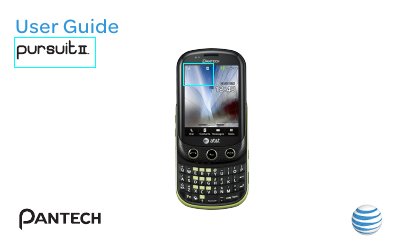
The Pantech Pursuit II User Guide provides step‑by‑step instructions for using the phone’s hardware and software functions. It explains the touch‑screen interface, QWERTY keypad, camera, audio playback, and network settings, as well as safety and privacy notices.
Additional sections cover specifications, battery management, SIM and memory card installation, software updates, and warranty procedures, helping users get the most out of their device while staying compliant with AT&T service policies.
| Display colors | 260k colors |
|---|---|
| Display resolution | 240 × 320 (QVGA) pixels |
| Camera resolution | 2 MP (1600 × 1200) CMOS |
| Battery capacity | 1000 mAh |
| Operating frequency | GSM/EDGE 850/900/1800/1900 MHz, UMTS/HSDPA 850/1900 MHz |
Press the Lock key to lock the touch screen.
Use the Volume key to adjust the earpiece volume while making a call.
Contact Pantech Authorized Service Center at (800) 962‑8622 or email [email protected] with proof of purchase, model number, IMEI, and a description of the problem.
Only use accessories approved by Pantech; metal stickers or non‑compatible accessories may affect sound quality and void the warranty.