
Some of the contents in this manual may differ from your phone depending on the software of the phone or your service provider.
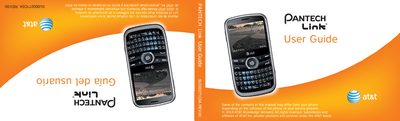
The Pantech Link user guide provides detailed instructions for using the phone’s QWERTY keypad, display, camera, multimedia functions, and connectivity options. It includes safety information, FCC compliance, and warranty details.
The guide is organized with a table of contents that covers phone overview, shortcuts, menu navigation, calls, messaging, camera, useful features, connectivity, settings, and appendices for regulatory and warranty information. This manual is written in Spanish.
| Display | 262k colors TFT LCD, 2.4" diagonal, 320×240 resolution |
|---|---|
| Weight | 91 g (3.2 oz) |
| Dimensions | 115.20 mm × 60.90 mm × 9.9 mm |
| Standby Time | Minimum 10 days (250 hrs) |
| Talk Time | Minimum 3 hrs |
| Operating Frequency | GSM 850/900/1800/1900 MHz, UMTS 850/1900 MHz |
Press and hold the E key to turn the phone on or off.
It uses a standard 930 mAh Lithium‑Ion (Li‑ion) rechargeable battery.
Remove the battery cover, align the gold contacts of the SIM with the phone’s contacts, insert the SIM, then replace the battery cover.
The phone has a 2.4‑inch TFT LCD with 262 k colors and a 320 × 240 pixel resolution.