
This is the user manual of Pantech C120 phone, which supports GSM850, DCS1800, PCS1900 networks, has a 1.5-inch LCD display, 65536 colors, 6 lines of 16-pixel text display, and a Yamaha 40 poly(SMF)/16poly (SMAF) sound and a VGA CMOS built-in camera
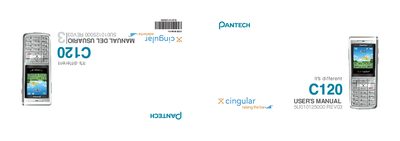
This guide introduces the Pantech C120, a lightweight tri‑band GSM mobile phone with a built‑in VGA camera, 1.5" LCD display, and Li‑ion battery. It covers basic handling, key functions, and how to navigate the menu system using the soft keys and 5‑way joystick.
Detailed sections explain making and ending calls, messaging, camera operation, media net features, and accessory usage, along with safety and warranty details to help users get the most out of their device.
| Display resolution | 128 × 128 pixels, 65,536 colors |
|---|---|
| Camera resolution | 640 × 480 (VGA) |
| Battery type | Standard Lithium‑Ion (Li‑ion) |
| Battery capacity | 800 mAh |
| Standby time | Up to 250 hours |
| Talk time | Up to 3 hours |
| Operating frequency | GSM 850 / DCS 1800 / PCS 1900 |
| Weight | 75 g |
| Dimensions | 103 mm × 42.5 mm × 13.5 mm |
Press the Power On/Off key.
The C120 uses a standard 800 mAh Li‑ion battery.
It operates on GSM 850, DCS 1800, and PCS 1900 bands.
The built‑in VGA camera captures images at up to 640 × 480 pixels.