
Pantech C3b user guide, introduces the functions, features and usage of the phone
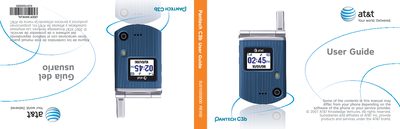
This manual introduces the Pantech C3b, a lightweight clamshell GSM mobile phone with internal and external TFT displays, a VGA camera with flash, and full messaging and multimedia capabilities. It covers safety information, warranty details, and how to get the most out of the device.
The guide walks users through hardware basics such as inserting the SIM card and battery, using the keypad and soft keys, navigating menus, making calls, sending messages, and using the camera and media functions. It also includes troubleshooting tips and service information.
| Internal display size | 1.52" LCD |
|---|---|
| External display size | 1.0" LCD |
| Display colors | Up to 262K colors, 128 × 128 pixels |
| Camera resolution | 640 × 480 (VGA) |
| Battery capacity | 930 mAh |
| Weight | 71.8 g |
| Dimensions | 69 mm × 43 mm × 20.4 mm |
| Supported GSM bands | GSM 850 / PCS 1900 |
Press the keypad‑lock key as described in the manual to lock the keypad; unlock it using the same key.
Open the back cover, align the battery with the contacts, and slide it into the battery compartment as shown in the manual.
The phone is covered by a limited 12‑month warranty that repairs or replaces defective parts for the original retail buyer in the United States or Canada.