
This is a user guide for the Pantech C610 mobile phone.
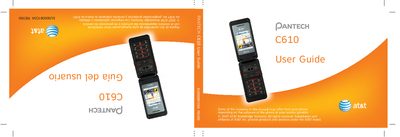
The Pantech C610 User Guide provides detailed information on the phone’s hardware, software features, and how to use them. It covers everything from basic keypad navigation to multimedia functions, camera operation, and connectivity options.
The manual also includes safety information, warranty terms, and service contacts for AT&T and Pantech support. It is organized with a table of contents, specifications, quick‑key references, and step‑by‑step procedures for common tasks. This manual is written in Spanish.
| Internal display | 260k colors TFT LCD, 2.0" |
|---|---|
| External display | 65k colors CSTN LCD, 1.0" |
| Camera resolution | 1280 x 1024 (330,000 pixels) |
| Battery capacity | Up to 920 mAh |
| Dimensions | 93.2 mm × 46 mm × 18.35 mm |
| Weight | 92 g (3.25 oz) |
| Supported networks | GSM 850/900, DCS 1800, PCS 1900 |
The phone uses a standard Lithium‑Ion battery with a capacity of up to 920 mAh.
It operates on GSM 850 MHz, GSM 900 MHz, DCS 1800 MHz, and PCS 1900 MHz bands.
The internal TFT LCD can display 260,000 colors.
The integrated 1.3 MP CMOS camera captures images up to 1280 × 1024 pixels.