
This manual introduces the use of Pantech P2030 mobile phone, including functions, operations and usage skills.
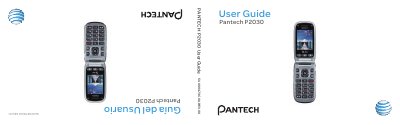
This manual introduces the Pantech P2030 mobile phone, describing its design, display options, camera, battery, and network capabilities. It guides users through basic functions such as making calls, messaging, using shortcuts, and accessing connectivity features like Bluetooth and mobile web.
Additional sections cover advanced settings, privacy controls for location‑based services, noise‑cancellation technologies, warranty information, and troubleshooting tips, helping users get the most out of the device.
| Internal display | 2.2" TFT LCD, 260K colors |
|---|---|
| External display | 1.38" CSTN LCD, 65K colors |
| Camera | 1.3 MP CMOS, up to 1280 × 1024 resolution |
| Weight | 102 g (with standard battery) |
| Dimensions | 99 mm × 51.2 mm × 18.8 mm |
| Network frequencies | GSM 850 MHz, GSM 900 MHz, DCS 1800 MHz, PCS 1900 MHz |
Press the numbered keys (1‑#) that correspond to menu items; holding a number key assigns it as a speed‑dial or shortcut.