
This document is an operator's guide for the fi-6670(A) / fi-6770(A) / fi-6750S Color Image Scanner series. It includes instructions on how to use the scanning application, the names and functions of scanner parts, loading documents, configurable parameters in the scanner drivers, cleaning the scanner, replacing consumables, troubleshooting scanner problems, and configuring scanner settings using the Software Operation Panel.
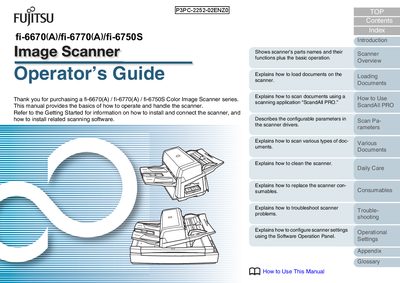
This Operator's Guide provides step‑by‑step instructions for using the Fujitsu fi-6670, fi-6770 and fi-6750S color image scanner series. It covers basic operation, document loading, software interaction with ScandAll PRO, and how to configure scanner settings.
Key sections include loading documents via the ADF or flatbed, using ScandAll PRO, daily care and cleaning procedures, consumable replacement, troubleshooting error messages, and detailed operational settings. Safety warnings, regulatory information, and a glossary are also included.
| Supported paper size | 11 × 17 inches |
|---|---|
| Maximum power‑cable length | 3 meters (10 feet) |
| Maximum sound pressure level | 70 dB(A) |
Use the automatic document feeder (ADF) for the fi-6670 and fi-6770 models, or place documents on the flatbed for the fi-6770 and fi-6750S models.
Clean the ADF and the flatbed according to the cleaning instructions, using the recommended cleaning materials and following the safety warnings.
Refer to the Consumables section, which explains how to replace toner, rollers, and other consumable parts.