
This manual introduces the parts and functions of the phone, how to install SIM card and battery, how to charge, how to adjust volume, how to change ringtone, how to redial recently used number, how to use function menu, how to open or close the phone, how to change display language, how to make a phone call, how to answer a phone call, how to end a call and other
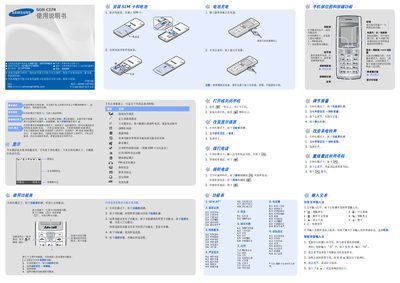
This manual describes how to operate the Samsung SGH‑C178 mobile phone, including inserting the SIM card, battery handling, keypad functions, and navigating the main menu. It also covers special features such as SOS messaging, FM radio, and various input methods for Chinese and English text.
Safety guidelines, battery specifications, and environmental disposal instructions are provided, along with detailed steps for configuring language, alarms, calendar, calculator, and other built‑in applications. This manual is written in Chinese.
| Battery type | Standard battery |
|---|---|
| Battery capacity | 730 mAh |
| Talk time | ≈6 hours |
| Standby time | up to 370 hours |
Press and hold the * key while in standby mode to lock the keypad; the keys will be ignored until unlocked.
When the keypad is locked, press the [Name] key four times in standby mode to send an SOS message to the preset number.
From standby mode, press the menu soft key, select "话机设定" then "语言" to choose a different display language.
The phone supports Smart Pinyin, Stroke‑order, and Handwriting input methods; select the desired method from the input settings.