
This document is the user manual for OT-708 mobile phone, which introduces the functions and features of the phone and how to use it.
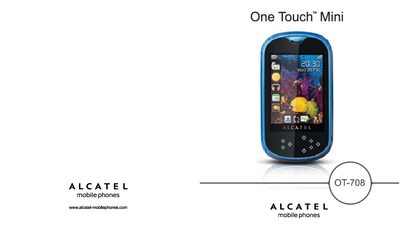
This manual covers the basic functions of the Alcatel OT-708 mobile phone, including how to power on the device, navigate the touch interface, make calls, send messages, and use multimedia features such as music, video, and the camera. It also explains the phone’s connectivity options like Bluetooth, GSM network bands, and PC Suite installation.
Safety guidelines, battery handling, charger specifications, and regulatory information are included, along with a detailed troubleshooting section that helps resolve common issues such as call problems, voicemail, Bluetooth connectivity, and battery performance.
| Camera resolution | 1.3 Megapixel |
|---|---|
| Operating temperature | -10°C to +55°C |
| Bluetooth version | 2.0 with A2DP |
| GSM bands | 900 / 1800 MHz |
| Charger temperature range | 0°C to 40°C |
Make sure the phone is switched on, connected to a network, your subscription is active, calls are not forwarded, and no numbers are barred.
Charge the battery for at least three hours, wait 20 minutes after charging before checking the level, reduce backlight, extend email auto‑check intervals, and deactivate Bluetooth when not in use.
Check that the battery is not completely discharged or damaged, remove the battery and SIM card, then hold the power key (or 4 + power key) to reset the device.
Ensure Bluetooth is turned on and the phone is set to be visible to other devices.