
The Alcatel T50-EX phone user guide provides setup instructions, feature overview, and troubleshooting tips for this Caller ID handset.
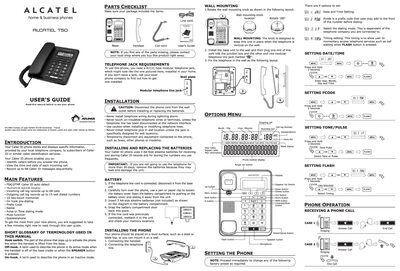
This guide introduces the Alcatel T50-EX Caller ID phone, describing its main features such as a numerical backlit display, Caller ID storage, and memory functions. It also lists the parts included and the RJ11C modular telephone jack required for operation.
Installation steps cover mounting the phone, connecting the handset and line, and installing or replacing the three AA‑size alkaline batteries. The manual explains how to set date/time, dialing mode, and contrast, and provides detailed instructions for making and receiving calls, using memory keys, and troubleshooting common issues.
| Caller ID storage capacity | 68 messages |
|---|---|
| Outgoing call log capacity | 15 numbers |
| Memory slots | 10 two‑touch memories |
| Display type | Numerical backlit display |
| Power source | 3 AA‑size alkaline batteries |
| Telephone jack requirement | RJ11C modular jack |
The phone can store up to 68 Caller ID messages.
It uses three AA‑size alkaline batteries (not included).
Press the CONTRAST/MUTE button in on‑hook state to cycle contrast levels 1‑5 (default 3).
Check all cabling to ensure connections are secure and not damaged, and verify the hook switch extends fully.