
Key facts
- Manuals
- 30
- Categories
- 3
- Languages
- EN · ZH · FR
- Last added
- 2026-10-01
Featured Alcatel manuals
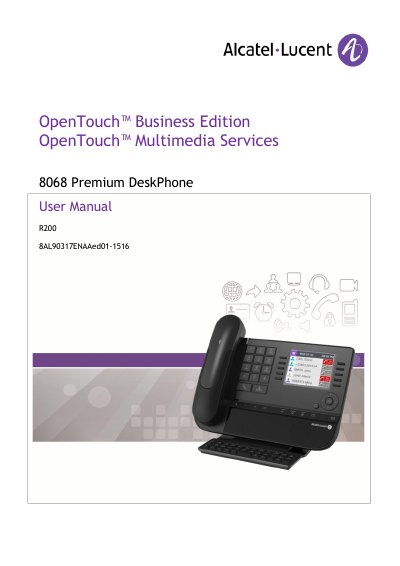
Alcatel 8068 Premium DeskPhone User Manual
This manual introduces the ALE International 8068 Premium DeskPhone, describing its ergonomic design, available connectors, and key hardware features such as the Bluetooth® handset, Ethernet ports, and permanent feature keys. It guides users through basic operations like making and receiving calls, using hands‑free mode, and managing call logs.
Further sections cover programming functions (audio settings, language selection, hiding the caller ID, and firmware updates), Bluetooth device management, safety and regulatory information, and warranty clauses. The document also includes detailed navigation instructions and troubleshooting tips for the desk phone.
Covers: Getting to Know Your Telephone · Using Your Telephone · During a Conversation · Keep in Touch · Programming Your Telephone · Guarantee and Clauses
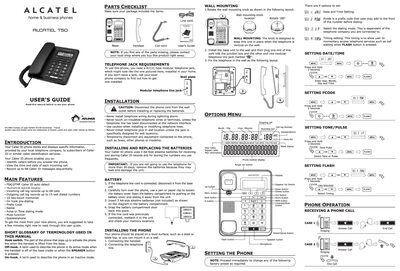
Alcatel T50-EX Phone User Guide
This guide introduces the Alcatel T50-EX Caller ID phone, describing its main features such as a numerical backlit display, Caller ID storage, and memory functions. It also lists the parts included and the RJ11C modular telephone jack required for operation.
Installation steps cover mounting the phone, connecting the handset and line, and installing or replacing the three AA‑size alkaline batteries. The manual explains how to set date/time, dialing mode, and contrast, and provides detailed instructions for making and receiving calls, using memory keys, and troubleshooting common issues.
Covers: Introduction · Main Features · Installation · Battery Replacement · Phone Operation · Caller ID Features
Alcatel OmniSwitch 6850 Series Product Leaflet
The OmniSwitch 6850 series provides high‑performance edge solutions with flexible stacking, PoE options, and line‑rate 10/100/1000 M and 10 G uplinks. It supports both IPv4 and IPv6 hardware switching, making it suitable for enterprise edge, aggregation, small core, and triple‑play deployments.\n\nKey capabilities include redundant hot‑swap power supplies, virtual chassis stacking, advanced QoS, security features such as Access Guardian and OmniVista isolation, and comprehensive management via CLI, Web View, and OneTouch OmniVista software. The series offers a range of models with various port densities, power options, and optional SFP/XFP modules for short‑, mid‑, and long‑reach connections. This manual is written in Chinese.
Covers: Features Overview · Power Options · OneTouch Network Management · High Availability · Security Features · Performance and Capacity

Alcatel ONE TOUCH 153 320 User Manual
This manual covers safety and protection rules, including restrictions on phone use while driving, near medical devices, or in hazardous environments. It also details the proper handling of the battery, charger, and SIM card, and specifies the recommended operating temperature range.
The guide explains how to power the phone on and off, enter PIN codes, use the menu system, make and receive calls, send SMS, and configure network settings. A troubleshooting section lists common problems such as network connection failures, SIM‑card errors, and PIN lock issues, with suggested solutions. This manual is written in Chinese.
Covers: Safety and Protection · Phone Description · Battery and SIM Card · Charging and Power On/Off · Making and Receiving Calls · Menu Navigation
Latest Alcatel manuals
Alcatel 8068 Premium DeskPhone User Manual
User Manual 26 pages · 935 KB · ENThe Alcatel 8068 Premium DeskPhone User Manual provides setup instructions, feature descriptions, Bluetooth handling, and safety guidelines.
Alcatel T50-EX Phone User Guide
User Manual 2 pages · 3.6 MB · ENThe Alcatel T50-EX phone user guide provides setup instructions, feature overview, and troubleshooting tips for this Caller ID handset.
ALCATEL SPEED TOUCH HOME user manual
This file is an installation manual.
ALCATEL TECHNICAL BULLETIN 4618
Alcatel Telephone 4035 User Guide
This document is the user manual for Alcatel 4035 telephone. It introduces the features and characteristics of the telephone, including how to make a phone call, handle multiple calls, transfer calls, call waiting, call forwarding, phone password, ringtone settings, speaker volume, dialing timer reminder, display brightness and other functions.
Alcatel 1905 LMI handbook
This datasheet details the features of the Alcatel SLMQW DFB laser module, including output power, wavelength selection, and application range.
alcatel TECHNICAL BULLETIN 4620
ALCATEL onetouch pad Manual
This document is a user manual that introduces the features, usage tips, and precautions of the ALCATEL onetouch T60 tablet. This tablet has a slim and portable design, a large screen for a wide field of view, wireless internet access, and rich high-definition audiovisual enjoyment.
ALCATEL onetouch 585/585D user manual
one touch 585D mobile phone user manual
ALCATEL onetouch 602/602D user manual
ALCATEL onetouch 665 user manual
This manual introduces how to use alcatel one touch 665 phone
ALCATEL onetouch 918 Manual
This is a user manual for one touch 918/one touch 918N/one touch 918D
ALCATEL OT-799A Manual
This manual provides detailed instructions on how to use the IP3192 cellphone.
ALCATEL OT. C551/C552/C652 Manual
This manual provides detailed information about the functions and operation of your T&A Mobile Phones phone.
ALCATEL OT-708 Manual
This document is the user manual for OT-708 mobile phone, which introduces the functions and features of the phone and how to use it.
- 1
- 2
Which document do I need?
User Manual
Day-to-day operation, settings and troubleshooting. Start here if the product is already set up.
Questions answered in Alcatel manuals
How many Caller ID messages can the T50‑EX store?
The phone can store up to 68 Caller ID messages.
What batteries does the T50‑EX use?
It uses three AA‑size alkaline batteries (not included).
How many ports can be stacked together in a single OmniSwitch 6850 stack?
A single stack can accommodate up to 384 10/100/1000 M ports and 16 10 G ports.
What temperature range is recommended for using the phone?
The phone is recommended to be used between -10 °C and +55 °C.
How do I insert the SIM card?
Refer to section 2.1 of the manual, which explains the SIM card installation procedure.
How do I replace the battery?
Battery replacement is described in section 6 of the manual.