
This document is a quick start guide for the Zebra MZ series portable printers. It provides instructions on installing the battery, precautions for electrostatic discharge and print head maintenance, as well as information on battery safety and charging.
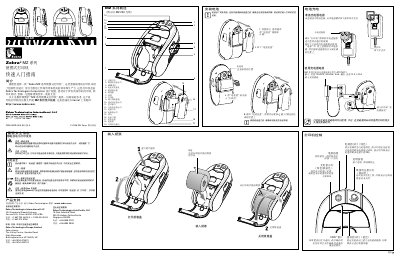
This guide covers the Zebra MZ series portable printers, describing their rugged design and intended use for mobile labeling tasks. It includes safety warnings, battery handling, and accessory information.
Key sections explain how to install the battery, charge the device, load paper, interpret indicator lights, connect via USB or wireless, clean the print head and rollers, perform basic troubleshooting, and reset the printer if it becomes unresponsive. This manual is written in Chinese.
| Charger input voltage | 110‑240 V AC, 50‑60 Hz, 0.6 A |
|---|---|
| Charger output voltage | 12 V DC, 1.25 A |
Use the Zebra‑certified charger, connect it to the printer’s charging port and plug the charger into an AC outlet (110‑240 V).
Use the supplied Zebra cleaning pen or a cotton swab with 70 % isopropyl alcohol to thoroughly clean the print head from end to end.