
This document introduces the installation steps and usage precautions of the Zebra MZ series portable printers, including battery installation, static discharge, print head maintenance, battery safety, lithium-ion battery disposal, etc.
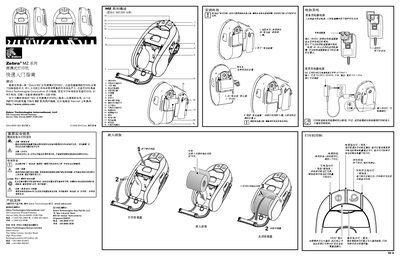
This guide introduces the Zebra MZ series portable printer, a rugged handheld barcode printer designed for on‑the‑go use. It provides basic information on the printer’s components, safety warnings, and the steps needed to get the device ready for printing.
Key topics include battery installation and charging, connecting the printer to power or a host device, using the belt clip and shoulder strap for hands‑free operation, and troubleshooting common issues such as power‑up problems, paper jams, and print‑head cleaning. This manual is written in Chinese.
| Charger part number | AT17947-1 |
|---|---|
| Input voltage | 110‑240 V AC, 50/60 Hz |
Connect the charger (part number AT17947-1) to an AC source of 110‑240 V, 50/60 Hz and attach it to the printer’s charging contacts.
Slide the belt clip onto the printer’s mounting slot, ensure it locks securely, and adjust the strap so the printer hangs comfortably on your belt.