
This document provides an easy reference for operating and maintaining the Zebra RW 420 Mobile Printer. The printer is rugged and designed for productivity. It is manufactured by Zebra Technologies Corporation and offers world-class support.
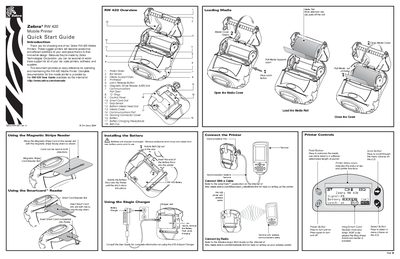
The Quick Start Guide introduces the Zebra RW420 mobile printer, describing its rugged design, media loading steps, and optional accessories such as the magnetic stripe and smart card readers. It also provides basic battery installation and charging instructions.
Additional sections cover cleaning the printhead, using the cradle accessory, and troubleshooting common issues like power problems, media feed errors, and wireless connectivity. Contact information for Zebra support is included at the end.
| Battery condition on shipment | Shipped uncharged |
|---|
Open the media cover, pull the media roll out, insert it into the printer, and close the cover.
Place the magnetic stripe card in the reader slot with the stripe facing down; the card can be read in both directions.