
This document describes the features and characteristics of the Philips SoundBar DVD home theater, including a video resolution of up to 1080p, full HD video playback, and enhanced picture quality.
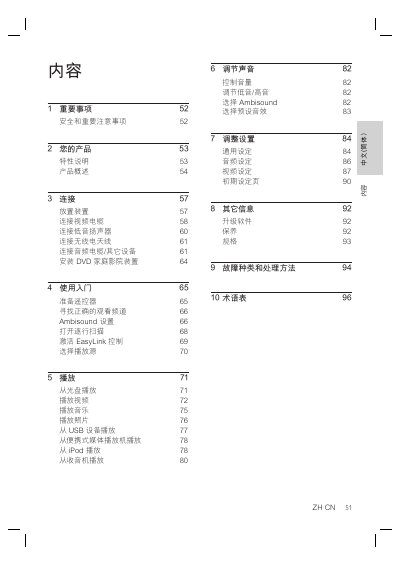
This manual guides you through installing and using the Philips SoundBar DVD Home Theatre system. It covers safety precautions, product features, connection methods for video, audio, and sub‑woofer, as well as remote‑control functions and Ambisound settings.
Detailed sections explain how to play DVDs, videos, music, photos, and USB or iPod media, adjust audio and video settings, perform firmware upgrades, and resolve common faults. The specifications of the system and a glossary of terms are also included. This manual is written in Chinese.
| Total Output Power (Home‑Theatre Mode) | 500 W |
|---|---|
| Frequency Response (Audio) | 20 Hz ~ 20 kHz / ±3 dB |
| Signal‑to‑Noise Ratio | > 65 dB (CCIR) |
| AUX Input Sensitivity | 500 mV |
| Laser Type (Disc) | Semiconductor |
| Standby Power Consumption | < 3.7 W |
Connect the HDMI OUT connector on the SoundBar to the HDMI IN port on the TV with the supplied HDMI cable.
Check the HDMI cable for faults and replace it if necessary; also ensure the TV input is set to the correct HDMI channel.
Press and hold the AUDIO SYNC button, then use the VOL + / ‑ buttons to set the desired delay.
The standby power consumption is less than 3.7 W in normal standby mode.