
This document is the quick start guide of Philips SPA2300 multimedia speaker system, which introduces the connection and use of the speaker system
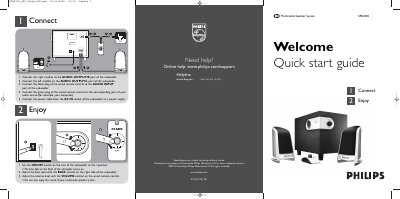
This quick start guide introduces the Philips SPA2300 multimedia speaker system and provides step‑by‑step instructions for connecting the subwoofer, satellite speakers, and wired remote control. It also includes safety notes and basic usage tips.
To set up the system, connect the right satellite to the AUDIO OUTPUT/R port and the left satellite to the AUDIO OUTPUT/L port of the subwoofer, attach the remote’s black plug to the AUDIO INPUT port, and plug the power cable into the AC IN socket. Turn the ON/OFF switch to the I position, adjust bass with the BASS control, and set volume using the remote’s VOLUME control.
| Audio output ports | AUDIO OUTPUT/R and AUDIO OUTPUT/L |
|---|---|
| Audio input port | AUDIO INPUT |
| Power connection | AC IN socket |
| Bass control | BASS control on right side of subwoofer |
| Volume control | VOLUME control on wired remote control |
Connect the right satellite to the AUDIO OUTPUT/R port and the left satellite to the AUDIO OUTPUT/L port of the subwoofer, then attach the remote’s black plug to the AUDIO INPUT port.
Set the ON/OFF switch on the rear of the subwoofer to the I position; the blue front light will illuminate indicating power.