
This manual introduces the basic operations and functions of the camera.
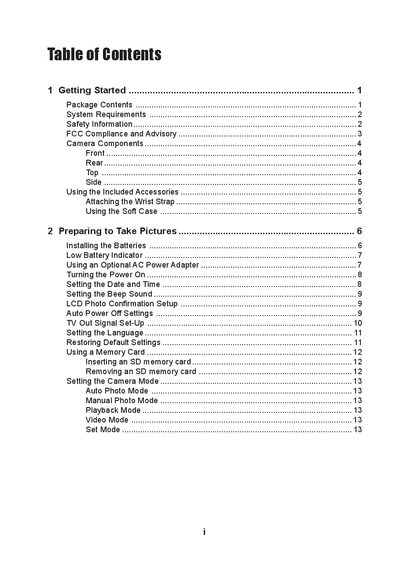
The manual begins with getting started information, including package contents, safety warnings, and how to attach the wrist strap and use the soft case. It then covers preparing the camera, installing batteries, setting date and time, and configuring basic functions such as LCD display, auto power‑off, and language selection.
Subsequent sections describe each shooting mode (auto, manual, video, macro, etc.), how to adjust exposure, white balance, ISO, and flash settings, as well as reviewing and managing photos and video clips. The guide also explains connecting the camera to a computer, installing the MGI PhotoSuite software, and provides default settings, specifications, and troubleshooting tips.
| Image Sensor | 4.13 megapixel CCD |
|---|---|
| Lens Aperture | F 2.8 ~ 6.66 |
| Power Supply | AA‑size alkaline batteries × 2 |
| DC Input | +3.3 V, 2.0 A DC adapter |
| Dimensions | 107.5 × 60.5 × 35.7 mm |
Slide the camera into the soft case with the LCD screen facing down and follow the illustration that shows how to attach the wrist strap.
The default quality is NORMAL with a size of 2272 × 1704 pixels, and the flash is set to FORCE OFF.
Enable the File No. Reset option, which is set to ON by default.
Do not open the camera case, keep it away from water, avoid flashing near eyes, and do not operate it with wet hands.