
This document is a user guide and manual for BenQ LCD TV VJ3211. The quick start guide provides instructions on how to install and start watching TV programs, while the user manual provides detailed information on the features and functions of the TV and remote control, as well as methods for connecting other devices.
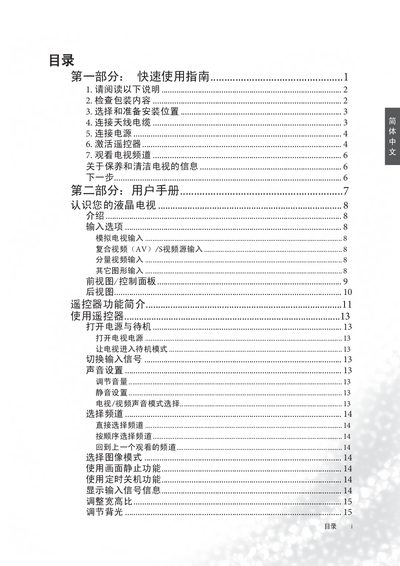
The BenQ VJ3211 document combines a quick start guide with a user manual for the LCD television. The quick start section covers package contents, installation location, antenna and power connections, remote control setup, and watching TV channels.
The user manual describes controls and input options, audio/video connections, on-screen menus, channel management, parental controls, maintenance, dimensions, specifications, supported input resolutions, and troubleshooting. This manual is written in Chinese.
| Remote control operating distance | Up to 5 m |
|---|---|
| Remote control operating angle | Within 30° |
| Recessed installation ventilation clearance | At least 50–100 mm above and below |
| Wall-mount top clearance | At least 30 mm |
Connect the antenna cable to the CATV CABLE input on the back of the TV.
Insert the supplied batteries with their positive and negative ends matched to the (+) and (-) marks in the battery compartment.
The TV enters standby mode, and the power indicator at the lower right of the screen lights red.