
This document is a quick start guide and user manual for the BenQ Color LCD TV VJ2611. The first part is a quick start guide, which introduces the basic steps for installing and using the TV. The second part is the user manual, which provides detailed information on the features and functions of the TV and remote control, as well as methods for connecting other devices and technical specifications. This TV features advanced flat panel widescreen digital LCD technology, providing an exceptional visual experience.
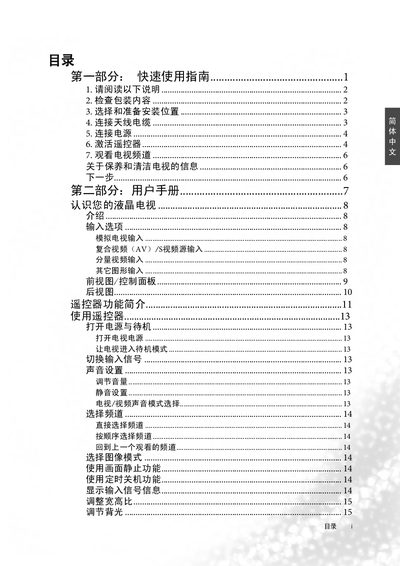
The BenQ VJ2611 color LCD TV document combines a quick start guide with a user manual. The quick start section covers package contents, installation location, antenna and power connections, remote control setup, and watching TV channels.
The user manual describes TV inputs, audio and video connections, remote functions, on-screen menus, channel settings, parental controls, specifications, and troubleshooting. It also includes care and cleaning information, dimensions, supported input resolutions, and a RoHS declaration. This manual is written in Chinese.
| Remote control operating distance | 5 m maximum |
|---|---|
| Remote control operating angle | Within 30° |
| TV tuner | Analog |
The package lists a TV, remote control, two AAA batteries, a power cord, and a quick start guide and user manual.
Connect the antenna cable to the CATV CABLE input on the back of the TV.
The distance between the remote control and the TV sensor should not exceed 5 m.
An external digital TV decoder must be connected to the TV.