
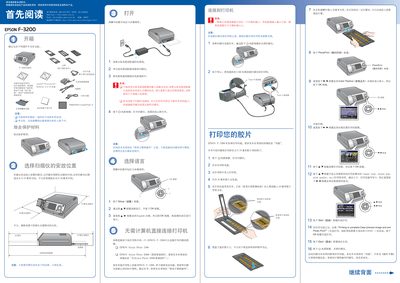
The Epson F‑3200 is a flatbed scanner designed for scanning slides, film strips, and documents. Before use, place the scanner on a stable surface with at least 15 cm of clearance behind it and 10 cm on each side, and keep the power adapter and cables away from heat or moisture.
The guide covers hardware setup (connecting the power adapter, selecting language, and attaching the scanner to a printer or computer), software installation for Windows and Macintosh, firmware updates for compatible Epson printers, and usage of storage cards and scanning functions. Safety warnings and proper handling of cables and accessories are also included. This manual is written in Chinese.
| Rear clearance | 15 cm |
|---|---|
| Side clearance | 10 cm |
| Power adapter model | A221B/E |
| Supported film format | 35 mm film strip |
| Supported slide format | 35 mm slide |
| Supported medium format | Maximum 6 × 18 cm (e.g., 6 × 9 cm) film |
| Supported sheet size | 4 × 5 inches |
| Supported document size | Maximum 4 × 6 inches |
Insert the supplied CD, close all applications, disable any antivirus software, then run the installer and follow the on‑screen prompts.
Only the included AC power adapter model A221B/E should be used; other adapters may cause fire or electric shock.
Leave at least 15 cm behind the scanner and at least 10 cm on each side for proper ventilation and safety.