
The content of this document contains some garbled text and special characters, making it impossible to extract product features and characteristics.
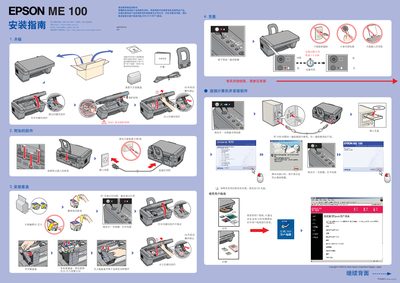
This guide walks users through the initial setup of the Epson ME100 printer. It covers connecting the printer, loading paper, installing and locking the scanner module, and preparing the device for use.
Key procedures include loading the correct paper size, adjusting the scanner, replacing black or color ink cartridges, and troubleshooting common error or ink‑indicator lights. The manual also provides safety notes such as not touching ICs and keeping the power off when servicing. This manual is written in Chinese.
Prepare a new genuine Epson cartridge – black (T057) or color (T058) – and replace the empty cartridge with the appropriate one.
Press and hold the error/ink button for about 3 seconds, then follow the on‑screen instructions or contact Epson support if the light remains on.