
This is a Dell Dimension XPS WHL model computer appearance introduction document, which introduces the computer's interface, heat dissipation, warranty, etc.
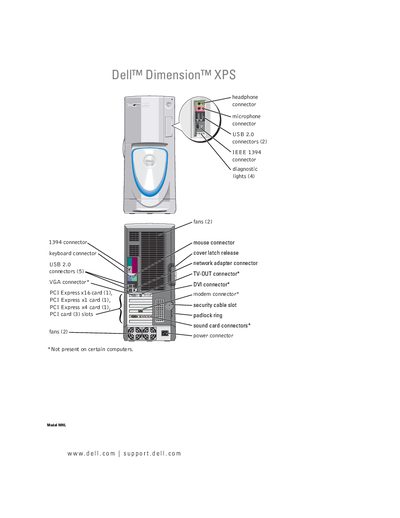
This manual covers everything you need to know to set up and use your Dell Dimension XPS desktop, including connecting peripherals, configuring display options, and managing power settings. Detailed sections guide you through installing memory, drives, and other components, as well as performing system setup and BIOS configuration.
Additional chapters address troubleshooting common hardware and software issues, using Dell Diagnostics, and following Dell's technical support policies. The appendix includes specifications and a comprehensive index for quick reference.
See the Battery section on page 120, which provides step‑by‑step instructions for removing and installing a new battery.
Boot sequence options are described in the System Setup chapter on page 132.