
This document describes the various connectors, slots, and ports of the Dell Dimension XPS Gen 3 computer, as well as important notices and cautions.
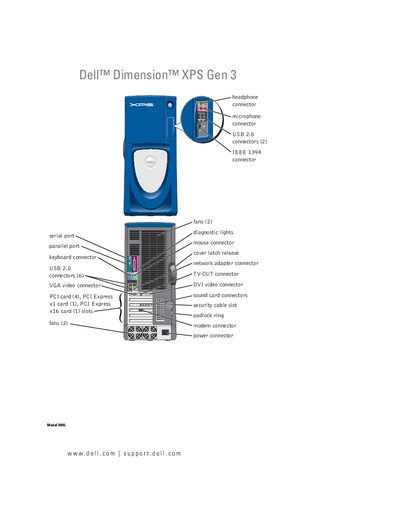
This manual covers everything you need to set up and use the Dell XPS Gen 3 desktop, including connecting monitors, TV, and peripherals, configuring BIOS and RAID, and installing the operating system. Detailed sections guide you through hardware installation, memory upgrades, and component replacement.
Additional chapters address performance optimization, such as Hyper‑Threading and overclocking, as well as extensive troubleshooting for power, display, network, and software issues. Appendices contain specifications, system setup options, and Dell support policies.