
User manual for Lenovo M3010 laser multifunctional device, which introduces how to use this product for copying, printing, scanning, etc.
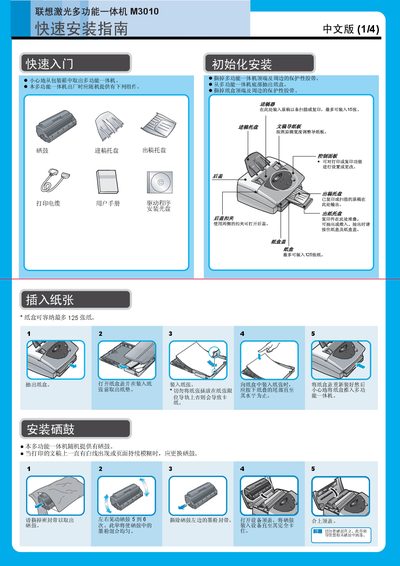
This guide walks you through unpacking the M3010, loading paper trays (up to 125 sheets) and the document feeder (up to 15 sheets), installing the toner cartridge, and connecting the unit to a 220V power source. It also explains how to connect the printer to a computer via the parallel cable and how to use the control panel for copying, printing, and scanning functions.
The manual details driver installation from the supplied CD, including running Setup.exe, following on‑screen prompts, and restarting the computer. It covers printing documents from applications, scanning procedures, and explains the meaning of LED indicators for power, data reception, and error states. This manual is written in Chinese.
| Power voltage | 220V |
|---|---|
| Paper tray capacity | 125 sheets |
| Document feeder capacity | 15 sheets |
The M3010 operates on a standard 220V power supply.
The paper tray can hold up to 125 sheets of paper.
The document feeder can accommodate up to 15 sheets at a time.
Insert the installation CD, run Setup.exe, follow the prompts, and restart the computer.