
M7000 is a printer produced by HP
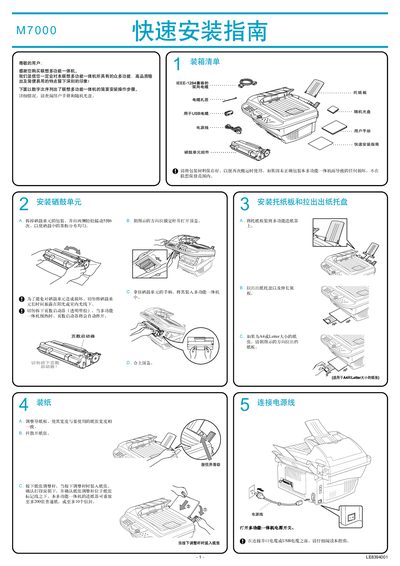
The Lenovo M7000 is a laser multi‑function all‑in‑one printer that combines printing, scanning, and copying capabilities. This guide walks users through the initial setup, including unpacking, loading paper, and powering the device.
Installation covers connecting the unit to a computer via IEEE‑1284 parallel or USB cable, installing the bundled driver and software suite, and configuring the device for Windows operating systems. Step‑by‑step instructions are provided for Windows 95/98/ME/2000/XP users. This manual is written in Chinese.
| Paper tray capacity | 200 sheets or 10 envelopes |
|---|---|
| Supported paper sizes | A4 and Letter |
| Maximum parallel cable length | 6 feet (1.8 m) |
| Maximum USB cable length | 6 feet (1.8 m) |
Use the IEEE‑1284 parallel cable supplied with the unit, or a USB cable no longer than 6 feet (1.8 m).
The tray can hold up to 200 sheets of plain paper or up to 10 envelopes.
The manual provides instructions for Windows 95/98/ME/2000 and Windows XP.
Yes, install the bundled Presto™ PageManager and Lenovo OCR software from the supplied CD.