
This document describes the features and characteristics of Kodak EasyShare cameras and camera docks, including camera inserts, USB connectors, power connectors, charging indicators, etc.
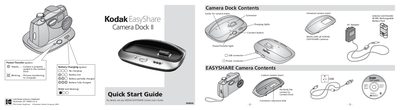
The Camera Dock II is a charging and transfer station for all Kodak EasyShare cameras. It includes a Ni‑MH rechargeable battery pack, AC adapter, USB connector, and interchangeable camera inserts.
The guide explains how to insert the camera, connect the dock to power and a computer, install the Kodak EasyShare software, and transfer images. It also describes the meaning of the charging lights and how to order a custom camera insert.
| Battery type | Ni‑MH rechargeable |
|---|---|
| Charging indicator colors | Green = picture transfer, Red blinking = error |
| Charge time (full) | About 2.5 hours |
It takes about 2.5 hours to fully charge the battery pack.
The green light means pictures are being transferred.
Yes, it works with all Kodak EasyShare cameras.