
ASRock A55iCafe Motherboard is a FM1 interface micro board launched by ASRock. The board adopts a full solid capacitor design, supports FM1 slot 100W processor, supports DDR3 2400+(overclocking)/1866/1600/1333/1066/800 non-ECC, un-buffered memory, and supports a maximum system capacity of 32GB.
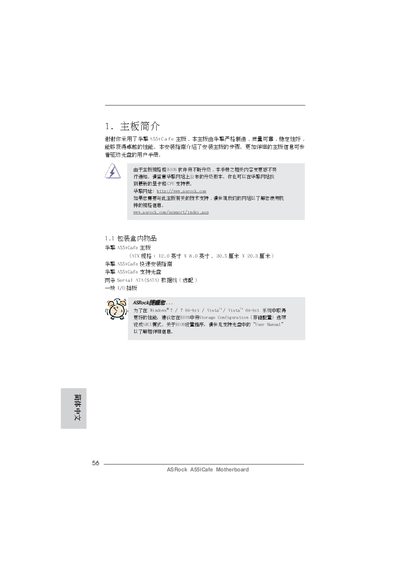
This Installation Guide explains how to install the ASRock A55iCafe motherboard, covering package contents, mounting, connector wiring, BIOS setup, and safety warnings. It also points to the support website for the latest drivers and BIOS updates.
Key hardware details include an ATX form factor, FM1 CPU socket, AMD A55 chipset, four DDR3 DIMM slots supporting up to 32 GB, six SATA2 ports, and a range of I/O connectors such as USB 2.0, HDMI, DVI‑D, and Gigabit LAN. The guide also describes the built‑in audio codec, fan control, and environmental compliance information. This manual is written in Chinese.
| Form factor | ATX (12.0 in x 8.0 in) |
|---|---|
| CPU socket | FM1, supports 100 W processors |
| Chipset | AMD A55 FCH (Hudson‑D2) |
| Memory slots | 4 DDR3 DIMM slots, max 32 GB |
| Expansion slots | 1 × PCIe x16, 2 × PCIe x1, 2 × PCI |
| SATA ports | 6 × SATA2 (3.0 Gb/s) ports |
| Audio codec | Realtek ALC662, 5.1‑channel |
| LAN controller | Realtek RTL8111E Gigabit Ethernet |
| BIOS | 32 Mb AMI BIOS |
| Rear USB ports | 6 USB 2.0 ports |
Turn off the computer, unplug the power cord, wait 15 seconds, then short pins 2 and 3 of the CLRCMOS1 jumper for 5 seconds.
It supports Microsoft Windows 7/7 64‑bit, Vista/Vista 64‑bit, Windows XP SP3 and Windows XP 64‑bit.
Set the Storage Configuration option to AHCI mode in the BIOS.