
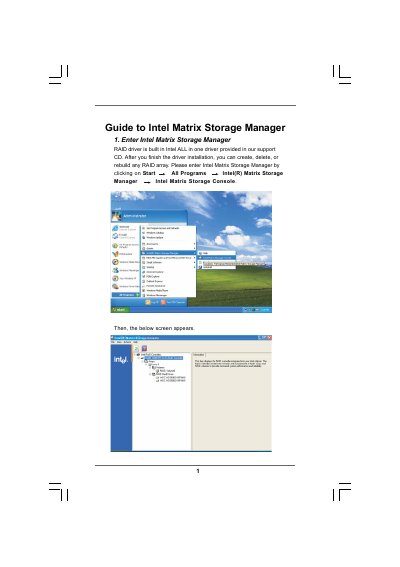
The Intel Matrix Storage Manager Guide provides step‑by‑step instructions for configuring RAID volumes on Intel‑based systems. It covers entering the Matrix Storage Console, creating a RAID volume, setting strip size, and selecting source and member disks.
The document also details how to specify volume size, monitor migration progress, and reboot the system to activate the new RAID array. Important safety notes remind users to back up data before any operation, as existing disk data will be erased.
| Supported strip sizes | 4 KB – 128 KB |
|---|---|
| Volume name length | 1‑16 characters |
Open the Intel Matrix Storage Console, choose Create RAID Volume, enter a volume name, select the RAID level and strip size, then select source and member disks and finish the wizard.
No, the existing data on the selected hard disks will be deleted; you must back up your data before proceeding.
The migration can take up to two hours, depending on the size of the disks and the selected strip size.