
Key facts
- Manuals
- 38
- Brands
- 30+
- Languages
- EN · ZH
- Last added
- 2012-08-08
Featured System Tools manuals
IBM DB2 9 Reference Manual
This reference manual covers IBM DB2 version 9 for Linux, UNIX, and Windows platforms. It includes detailed descriptions of database administration tasks, configuration settings, and programming interfaces.
The document also contains sections on Unicode and CCSID handling, DB2 Connect, and various database utilities, offering comprehensive guidance for developers and administrators.
Covers: Installation · Configuration · Administration · Programming Interfaces · Unicode and CCSID · Database Utilities
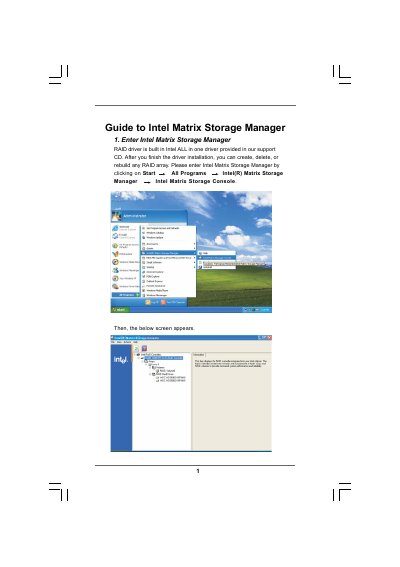
Intel Matrix Storage Manager Software Guide
The Intel Matrix Storage Manager Guide provides step‑by‑step instructions for configuring RAID volumes on Intel‑based systems. It covers entering the Matrix Storage Console, creating a RAID volume, setting strip size, and selecting source and member disks.
The document also details how to specify volume size, monitor migration progress, and reboot the system to activate the new RAID array. Important safety notes remind users to back up data before any operation, as existing disk data will be erased.
Covers: Entering the Matrix Storage Console · Creating a RAID Volume · Configuring RAID Settings · Selecting Source and Member Disks · Specifying Volume Size · Migration Process
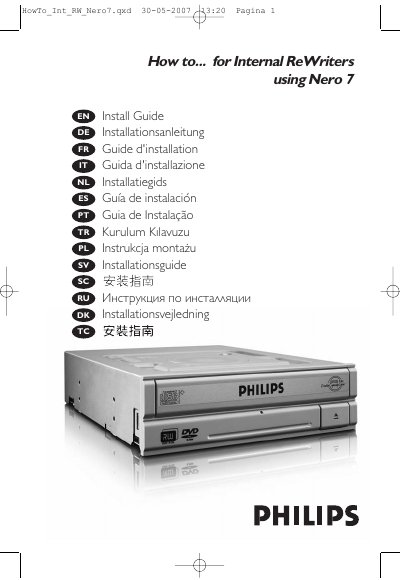
Philips Nero 7 Internal ReWriters Installation Guide
This guide explains how to install an internal rewritable optical drive using Nero 7. It includes steps for opening the PC case, avoiding electro‑static discharge, setting the Master/Slave jumper, connecting the IDE cable, and installing the drive securely. Additional sections describe how to keep the software up to date and where to find further help.
Safety information is provided for the built‑in laser, including laser‑type specifications, wavelength, output power, and beam divergence, as well as Philips' EMF and health‑safety statements. The document also contains legal notices and contact information for Philips support.
Covers: How to install? · Up to date? · How to make a video disc? · How to make a data or audio disc? · How to copy a disc? · More info or help needed
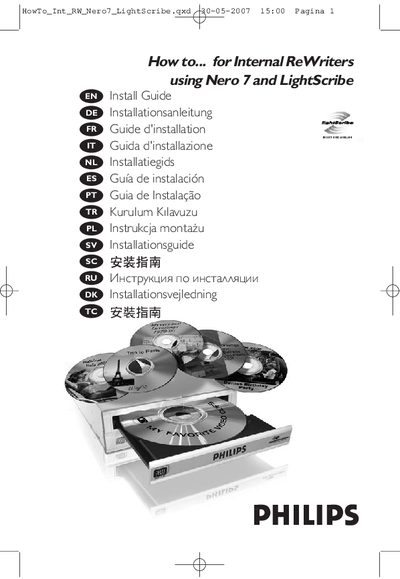
Philips Nero 7 LightScribe Installation Guide
The guide provides step‑by‑step instructions for installing the Nero 7 LightScribe drive, including disconnecting power, opening the computer case, mounting the drive, and setting it as Master or Slave. Safety precautions and wiring details are also covered.
After installation, the manual explains how to use the LightScribe feature to print labels, create video, audio, and data discs, and copy discs. It points to the Philips website for further updates and support.
Covers: How to install · Up to date · How to print a label using LightScribe · How to make a video disc · How to make a data or audio disc · How to copy a disc
Latest System Tools manuals
Panasonic WVAS65 Manual
This document is the operating instructions for the WV-AS65 product, which introduces the product's features, system requirements, and usage restrictions.
Active KillDisk for Windows User Guide(1)
Active@ KillDisk is a hard disk data erasure tool that can permanently delete hard disk data using multiple different methods, including overwriting, formatting, writing random data, and disk repartitioning.
apple Numbers 09 User Guide
IBM About Your Software guide
This document describes the software that comes with your IBM computer, including preinstalled software and software on the Software Selections CD. It also describes how to start your computer, run the setup program, register your computer, view documentation, and shut down your computer.
IBM Informationen zur Software
This is a manual about software information, including software overview and usage methods.
IBM Informazioni relative al software
This is an information manual about software. It mainly introduces the software installation and use methods.
IBM Vooraf geïnstalleerde software
This is a manual about IBM pre-installed software, which introduces the overview of pre-installed software, how to install and how to use.
IBM Informações Sobre Software
This document is a software manual for IBM computers. It introduces the software components of the computer and the installation methods
CMS Operation Manual
This document is the installation manual of DVRCMS software
Intel Linker User Manual
This document provides information about the Intel® Linker User’s Manual, including the features and characteristics of the product.
Intel Embedded Server RAID Technology USER S GUIDE
This document introduces the use of Intel® Embedded Server RAID Technology products
Intel Math Kernel Library for the Linux* OS User Guide
Intel® Math Kernel Library for the Linux* OS User's Guide, introduces Intel® Math Kernel Library (Intel® MKL) 9.0 gold release to 10.0 Gold release, including usage methods, LINPACK and MP LINPACK benchmark tests, support for third-party and deleted interfaces, etc.
Intel C++ Compiler for Linux* Systems User's Guide
Intel® C++ Compiler User's Guide introduces the features and benefits of Intel® C++ Compiler, and how to use the product.
Intel Math Kernel Library for Linux* OS User Guide
This manual describes the Intel® Math Kernel Library for Linux* OS. It provides information on the concepts, installation, configuration, use and maintenance of Intel® Math Kernel Library (Intel® MKL). This manual also provides example code and LINPACK and MP LINPACK benchmarks.
2011 Computer user manual
Introduces the creation, use, storage space and use period of Northwest network accounts
- 1
- 2
Which document do I need?
User Manual
Day-to-day operation, settings and troubleshooting. Start here if the product is already set up.
Installation Guide
Mounting, wiring and first power-up. Read it before the hardware goes in.
Quick Start Guide
The shortest path to a working setup, usually only a few pages.
Questions answered in System Tools manuals
What operating systems does IBM DB2 9 support?
IBM DB2 9 runs on Linux, UNIX, and Windows.
How can I contact IBM support for DB2?
You can call IBM support at 1‑800‑TBM‑4YOU (426‑4968).
How do I create a RAID volume with Intel Matrix Storage Manager?
Open the Intel Matrix Storage Console, choose Create RAID Volume, enter a volume name, select the RAID level and strip size, then select source and member disks and finish the wizard.
Will data on the selected disks be kept after creating a RAID volume?
No, the existing data on the selected hard disks will be deleted; you must back up your data before proceeding.
How can I avoid electro‑static discharge when installing the drive?
Touch an unpainted metal part (e.g., the heating element or an unpainted part of the computer case) before handling the drive.
What safety precaution must I take with the drive’s laser?
Do not remove the cover or attempt to service the device while it is connected, as the laser can cause eye damage.