
Key facts
- Manuals
- 26
- Categories
- 3
- Languages
- EN · ZH
- Last added
- 2012-07-10
Featured Guide manuals
ASRock SATA Hard Disk Installation and RAID Configuration Guide
The document provides step‑by‑step instructions for installing Serial ATA (SATA) hard disks on an ASRock motherboard and configuring the built‑in RAID controller. It covers driver preparation, BIOS settings, and the use of the NVIDIA RAID utility.
Key sections include creating a driver diskette, enabling RAID in the BIOS, and creating RAID 0, RAID 1, RAID 0+1, or JBOD arrays. Precautions such as using matching drive sizes and verifying disk health are also detailed.
Covers: Serial ATA (SATA) Hard Disks Installation · Making a SATA Driver Diskette · Introduction to RAID · RAID Configuration Precautions · BIOS Setup Utility · Create Disk Array (RAID 0, RAID 1, RAID 0+1)
Intel SATA Hard Disk Installation and RAID Configuration Guide
This guide provides instructions for installing Serial ATA (SATA) hard disks and configuring various RAID levels on motherboards that use Intel ICH6R or ICH7R southbridge chipsets. It covers basic RAID concepts, installation precautions, BIOS settings, and the Intel RAID BIOS utility.
The document walks you through creating, sizing, and deleting RAID volumes, selecting stripe sizes, and choosing RAID levels such as RAID 0, RAID 1, RAID 5, RAID 10, and Intel Matrix Storage. It also includes safety warnings and tips for optimal performance.
Covers: Guide to SATA Hard Disks Installation · Guide to RAID Configurations · Introduction of RAID · RAID Configuration Precautions · Setting the BIOS RAID Items · Configuring the Intel RAID BIOS
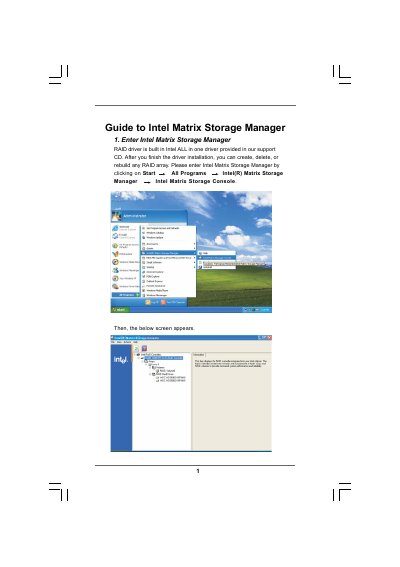
Intel Matrix Storage Manager Software Guide
The Intel Matrix Storage Manager Guide provides step‑by‑step instructions for configuring RAID volumes on Intel‑based systems. It covers entering the Matrix Storage Console, creating a RAID volume, setting strip size, and selecting source and member disks.
The document also details how to specify volume size, monitor migration progress, and reboot the system to activate the new RAID array. Important safety notes remind users to back up data before any operation, as existing disk data will be erased.
Covers: Entering the Matrix Storage Console · Creating a RAID Volume · Configuring RAID Settings · Selecting Source and Member Disks · Specifying Volume Size · Migration Process
Intel SATA Hard Disks Installation and RAID Configuration Guide
The document provides step‑by‑step instructions for installing Serial ATA (SATA) hard drives and setting up various RAID configurations on motherboards that use Intel southbridge chipsets. It describes the supported RAID levels, precautions, and the required BIOS and driver settings.
Key procedures include configuring the BIOS to enable RAID, creating driver diskettes, installing Windows with the appropriate RAID driver, and using Intel Matrix Storage Manager to create, migrate, or delete RAID volumes. The guide also outlines the minimum number of drives needed for each RAID level and warns about data‑loss risks for RAID 0.
Covers: Guide to SATA Hard Disks Installation · Guide to RAID Configurations · RAID Configuration Precautions · Installing Windows with RAID Functions · Setting the BIOS RAID Items · Configuring the Intel RAID BIOS
Latest Guide manuals
Manual to SATA Hard Disks Installation RAID Con guration
Guide for Cisco Fax Server Release 9.4
This document describes how to activate and use the Captaris PDF Module.
Guide to SATA Hard Disks Installation RAID Configuration(9)
This manual describes how to install and configure SATA hard disks and create RAID arrays on ASUS Z87-A motherboard.
Guide d utilisation
This document describes the features and characteristics of a certain brand and model product.
Guide to SATA Hard Disks Installation RAID Configuration(8)
This manual introduces how to install SATA hard disks and configure RAID on this motherboard
Guide to SATA Hard Disks Installation RAID Configuration(7)
This document introduces how to configure RAID on Intel ICH8DH southbridge chipset motherboard
Guide to SATA Hard Disks Installation RAID Configuration Manual(2)
This is a guide to SATA hard disk installation and RAID configuration. It provides instructions on how to install SATA hard disks and configure RAID functions, including RAID 0, RAID 1, RAID 10, RAID 5, and Intel Rapid Storage.
Guide to SATA Hard Disks Installation RAID Configuration(6)
This document introduces the methods of SATA hard disk installation and RAID configuration supported by Intel H67 chipset, including RAID0, RAID1, RAID10, RAID5, and Intel Rapid Storage.
Guide to Intel Small Business Advantage Installation Applications
Intel® Small Business Advantage is a customizable platform integrated with IT tools that help maximize employee productivity, PC performance, and data security. There are applications including Software Monitor, PC Health Center, Data Backup & Restore, Energy Saver and USB Blocker.
Guide to SATA Hard Disks Installation RAID Configuration(1)
This document provides a guide to the installation of SATA hard disks and RAID configuration. It includes instructions for installing SATA hard disks and precautions for RAID configuration, as well as steps for configuring RAID on Windows operating systems. It also introduces the basic knowledge of RAID and different RAID configuration options.
SATA Hard Disks Installation RAID Configuration manual
This document provides a guide to the installation of SATA hard disks and RAID configurations. It includes instructions for installing SATA hard disks and precautions for RAID configurations, as well as steps for configuring BIOS and Intel RAID BIOS in different operating systems.
Guide to SATA Hard Disks Installation RAID Con guration(2)
This document is a guide to SATA hard disk installation and RAID configuration. It explains how to install SATA hard disks and configure RAID, including RAID 0, RAID 1, RAID 5, RAID 10, and Intel Rapid Storage. The document also provides basic knowledge about RAID and configuration guides.
Guide to SATA Hard Disks Installation RAID Con guration(1)
This document is a guide to SATA hard disk installation and RAID configuration. It provides instructions for installing SATA hard disks and explains the basics of RAID and how to configure different RAID modes.
SATA Hard Disks Installation RAID Configuration
ASRock SATA Hard Disk Installation and RAID Configuration Guide
Installation Guide 18 pages · 66 KB · ENThis guide explains how to install SATA hard drives and set up RAID (0, 1, 0+1, JBOD) on ASRock motherboards.
- 1
- 2
Which document do I need?
Installation Guide
Mounting, wiring and first power-up. Read it before the hardware goes in.
User Manual
Day-to-day operation, settings and troubleshooting. Start here if the product is already set up.
Questions answered in Guide manuals
How do I create a RAID 0 array on an ASRock motherboard?
Enter the BIOS Setup Utility, enable RAID mode, go to RAID Disk Configuration, highlight the Striping (RAID 0) option and press <Enter> to create the array.
From: ASRock SATA Hard Disk Installation and RAID Configuration Guide
Do I need a driver diskette to install Windows on SATA with RAID enabled?
A driver diskette is required only if you plan to install Windows with RAID functions; it is not needed for a non‑RAID installation.
From: ASRock SATA Hard Disk Installation and RAID Configuration Guide
What stripe size should I choose for RAID 0?
You can select a stripe size between 8 KB and 128 KB; 128 KB is the default and gives the best performance for most desktops and workstations.
From: Intel SATA Hard Disk Installation and RAID Configuration Guide
Is RAID 0 fault‑tolerant?
No, RAID 0 improves performance but provides no fault tolerance; a disk failure will cause data loss.
From: Intel SATA Hard Disk Installation and RAID Configuration Guide
How do I create a RAID volume with Intel Matrix Storage Manager?
Open the Intel Matrix Storage Console, choose Create RAID Volume, enter a volume name, select the RAID level and strip size, then select source and member disks and finish the wizard.
Will data on the selected disks be kept after creating a RAID volume?
No, the existing data on the selected hard disks will be deleted; you must back up your data before proceeding.