
This is a multimedia speaker instruction manual, which introduces how to connect multimedia speakers
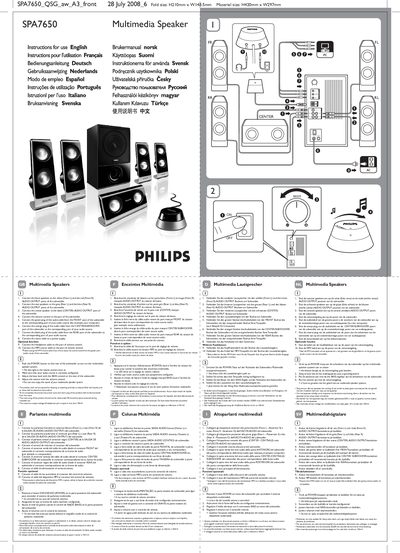
This guide explains how to connect front, rear, and center speakers, as well as volume control and audio sources. It also covers optional features like headphones and MP3 input. Safety instructions include avoiding liquids and ensuring easy access to the power plug.
Connect the front speakers to the white (Front L) and the red (Front R) audio output ports of the subwoofer, and connect the rear speakers to the grey (Rear L) and blue (Rear R) audio output ports. Connect the center speaker to the black (CENTER) audio output port of the subwoofer.
Push the POWER button on the rear of the subwoofer to turn on the multimedia speaker system. The blue light on the volume control comes on.
Connect the MP3 source cable to the port of volume control. Unplug the MP3 source cable if you like to enjoy the sound source from the green port (audio input) of the subwoofer.