
This document is Philips SBD7000 Quick Start Guide, which contains the product's usage methods, troubleshooting and other content
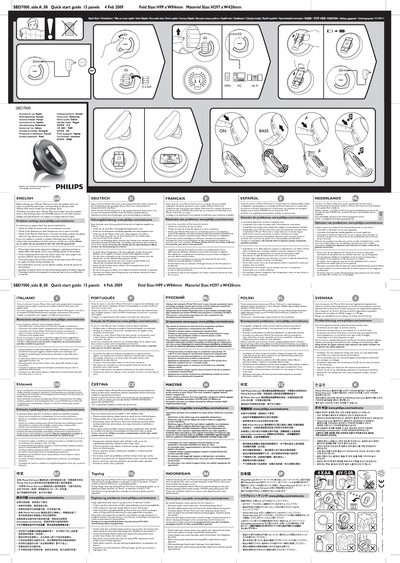
This guide explains how to connect the speaker dock, install the appropriate dock insert for your iPhone or iPod touch, and power the unit. It includes wiring details, the required 4 V / 2.0 A audio line input, and the correct placement of the POWER button to enable charging.
Safety precautions cover proper cable connections, battery handling, and environmental warnings. The troubleshooting section lists common fault checks such as cable connections, battery charge level, and correct insertion of the device, and directs users to Philips online support if problems persist.
| Fold Size | H99 mm × W84 mm |
|---|---|
| Material Size | H297 mm × W42 mm |
Verify that all cables are correctly connected, the batteries are fully charged and properly installed, and the iPhone/iPod touch is correctly inserted without any obstruction.