
This document introduces the features and functions of the GZ-MG57AC LYT1630-001A CS Chinese hard disk camcorder. The camcorder is equipped with a large capacity hard disk, supports DVD production function, and can save recorded files to DVD discs by connecting the camcorder and DVD burner via USB cable. It also provides video event registration for easy file searching and selection based on the content. Users can transfer videos and still images to a computer for editing and DVD production using the bundled image editing software. Direct printing of still images is possible by connecting the camcorder to a PictBridge-compatible printer via USB cable. Additionally, recording to SD cards is supported. The camcorder offers automatic and manual recording modes, allowing users to easily record videos or still images with special effects and manual adjustments. Prior to use, it is recommended to read the safety precautions and format the built-in hard disk or SD card. During recording, avoid obstructing the lens, stereo microphone, or sensor area with fingers or objects. The camcorder is designed with a microcomputer and may be affected by background noise and interference. If abnormal operation occurs, it can be reset or sent for repair.
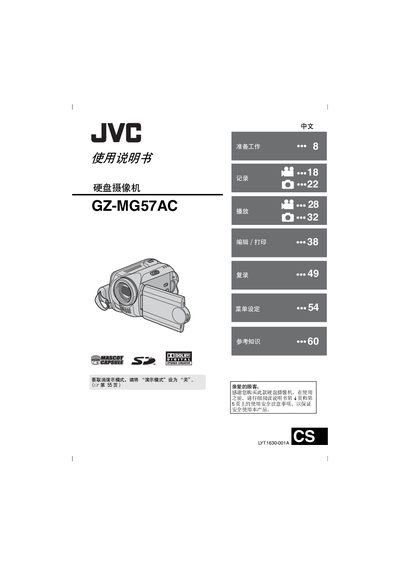
This manual provides step‑by‑step instructions for preparing, operating and maintaining the JVC GZ‑MG57AC hard‑disk camcorder. It covers safety precautions, power options, video and still image recording, playback, menu settings, and file management.
Additional sections describe how to connect the camcorder to external devices, use the built‑in LCD monitor, print images via PictBridge, and perform basic troubleshooting and specifications reference. This manual is written in Chinese.
| Power supply (DC, adapter) | 11 V |
|---|---|
| Power supply (DC, battery) | 7.2 V |
| Power consumption | ≈ 3.9 W |
| Dimensions (W × H × D) | 68 mm × 69 mm × 109 mm |
| Weight (without battery) | ≈ 350 g |
| LCD monitor size | 2.7 inches |
| Image sensor | 1/5" CCD (1,330,000 pixels) |
| Lens focal range | F 1.2‑2.8, f = 3.0‑45.0 mm |
| Video resolution (high quality) | 720 × 576 pixels |
| Audio format | Dolby Digital (stereo) |
Use the AV S‑Video or video output connectors (Y, C, or standard video) to link the camcorder to a television, VCR or DVD recorder.
The camcorder works only with JVC rechargeable batteries such as BN‑VF707U, VF714U or VF733U.
Connect the camcorder to a PC with the supplied USB 2.0 Mini A/B cable; the USB 2.0 interface transfers video and still images quickly.
Yes, if the printer supports PictBridge, connect it via the USB cable and print images without a computer.