
This manual introduces the usage methods of CASIO calculators, including using precautions, calculator initialization, battery replacement, safety precautions, operating precautions, display contrast adjustment, reading the display, specifying the calculation mode, basic operations, and scientific calculations.
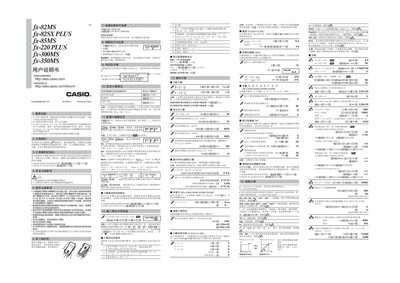
This manual provides detailed instructions for using the Casio fx‑82MS, fx‑82SX PLUS, fx‑85MS, fx‑220 PLUS, fx‑300MS, and fx‑350MS scientific calculators. It includes safety precautions, battery handling, display adjustments, and step‑by‑step guidance for basic, statistical, and advanced calculations.
The document also lists technical specifications such as battery type, dimensions, power consumption, operating temperature, and expected battery life, helping users maintain and troubleshoot their calculators effectively. This manual is written in Chinese.
| Battery type (fx‑82MS/82SX PLUS/220 PLUS) | AA (R6P, SUM‑8) ×1 |
|---|---|
| Battery type (fx‑350MS) | Button cell LR44 (GPA76) ×1 |
| Battery life (fx‑82MS/82SX PLUS/220 PLUS) | ≈ 17 000 hours continuous display |
| Battery life (fx‑350MS) | ≈ 9 000 hours continuous operation |
| Power consumption (typical operation) | ≈ 0.00001 W |
| Operating temperature range | -10 °C to 40 °C |
| Dimensions (fx‑82MS) | 186 × 85 × 156 mm |
| Weight (fx‑82MS) | 115 g |
Press the contrast button repeatedly until the desired contrast level appears on the screen.
Select the SD or REG mode, input the data points as instructed, and then use the appropriate function keys to compute averages, regressions, and other statistics.