
This manual introduces the basic operation of the Panasonic KX-FM3809CN fax machine, including installation, power connection, wiring, function setting, and operation instructions.
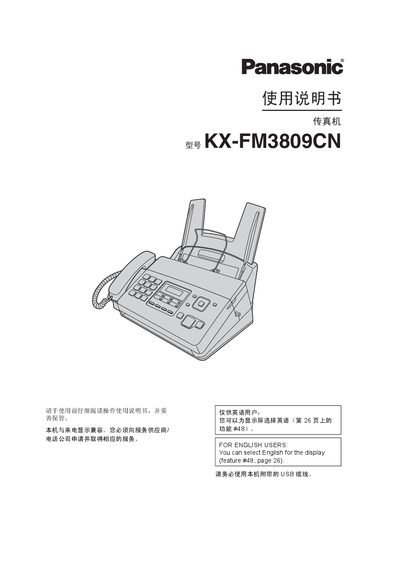
This manual covers everything needed to install and use the Panasonic KX-FM3809CN fax machine, including safety warnings, power and grounding requirements, and detailed instructions for connecting telephone and USB cables. It also explains how to configure language, volume, date/time, and custom logo settings.
Additional sections describe fax sending and receiving, copying functions, PANA LINK software integration, programmable features, troubleshooting, and routine maintenance. The specifications page lists technical parameters such as supported line types, paper size, scan resolution, power consumption and memory capacity. This manual is written in Chinese.
| Applicable line | Public switched telephone network |
|---|---|
| Maximum document size | 216 mm × 600 mm |
| Effective scan width | 208 mm |
| Effective print width | 202 mm |
| Transmission time per page | ≈12 seconds (ECM‑MMR) |
| Scan density (horizontal) | 8 pixels/mm |
| Photo resolution (fine) | 15.4 lines/mm |
| Scanner type | Contact image sensor |
| Printer type | Thermal transfer on plain paper |
| Data compression | MH, MR, MMR |
| Modem speed | 9,600 / 7,200 / 4,800 / 2,400 bps |
| Operating environment | 5 °C‑35 °C, 20 %‑80 % RH |
| Dimensions (H × W × D) | ≈185 mm × 355 mm × 272 mm |
| Product weight (with accessories) | ≈4 kg |
| Power consumption (standby) | ≈1.5 W |
| Power supply | 220‑240 V AC, 50/60 Hz, 1.2 A |
| Fax memory capacity (send/receive) | ≈25 pages send, ≈28 pages receive |
The machine can hold up to 50 sheets of 64 g/m² to 80 g/m² paper.
Chinese is the default language; English can be selected via feature #48 on page 26.
A shielded USB 2.0 certified cable must be used.