
GR DIGITAL III is a digital camera with new features and options including date list, page list, menu scrolling, quick focus distance option, bracketing exposure option, noise reduction option, white balance option, and shutter speed automatic offset.
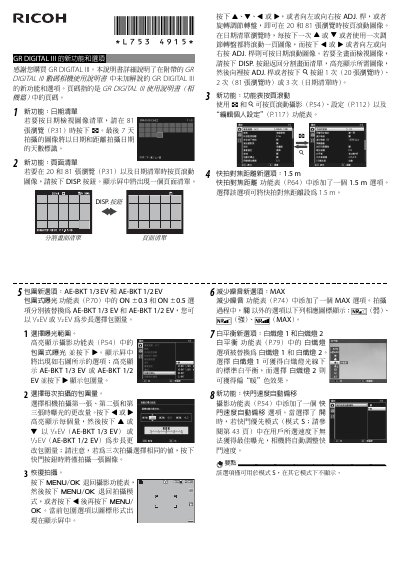
This manual explains the additional features and options of the Ricoh GR DIGITAL III camera that are not covered in the standard user guide. It includes instructions for using the date list, page list, menu page scrolling, fast focus distance, bracketing exposure, noise reduction, white‑balance presets, shutter‑speed auto offset, trimming, direct ISO control, and flash unit settings.
The document provides step‑by‑step directions for each new function, notes on usage limitations, and details on how to access the options via the camera’s menus and buttons. This manual is written in Chinese.
| Fast focus distance option | 1.5 m |
|---|---|
| Bracketing exposure steps | AE‑BKT 1/3 EV and AE‑BKT 1/2 EV |
| Noise reduction mode | MAX |
| White balance presets | Incandescent 1, Incandescent 2 |
| Direct ISO control | Enabled/Disabled |
Open the fast focus distance menu (P.64) and select the 1.5 m option.
Select the Trim option in the playback menu (P.91), adjust the crop size with 8 or 9, and confirm with the DISP button.
When MAX is selected, the camera applies the highest level of noise reduction during shooting.
Open the White Balance menu (P.79) and choose either 白熾燈 1 or 白熾燈 2.