
This manual describes how to install, configure, and use the Creston Mercury USB controller. Mercury is Creston’s USB and RS-232 programmable controller for controlling home theaters, conference rooms, hotel meeting rooms, computer rooms, and presentation rooms.
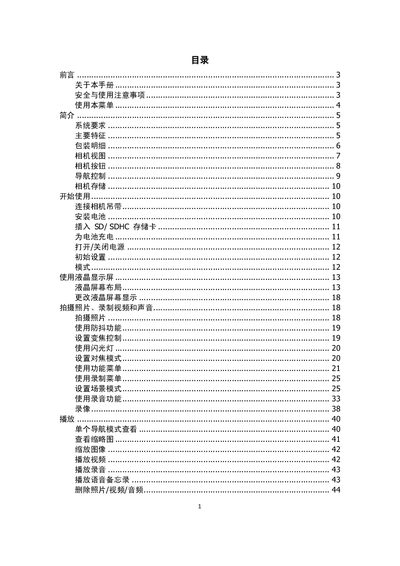
The manual begins with safety and usage precautions, system requirements, and a list of main features. It then details the package contents, camera view, button functions, navigation controls, and storage options, followed by step‑by‑step instructions for first‑time use, battery installation, and SD/SDHC card insertion.
Later sections cover battery handling, connection methods for TV, computer and printer, an appendix with folder information, troubleshooting tips, and a full specification sheet describing the sensor, lens, display, storage, and physical dimensions of the camera. This manual is written in Chinese.
| Image sensor | SHARP 12M 1/2.3" |
|---|---|
| Lens focal length | 5.05‑20.2 mm |
| Optical zoom | 4× |
| Digital zoom | 5× |
| LCD screen | 2.7" color LCD |
| Maximum still image resolution | 12 MP (4000 × 3000) |
| Video format | AVI (MJPEG) |
| Internal flash memory | 32 MB |
| Supported external storage | SD up to 4 GB, SDHC up to 32 GB |
| Battery type | Lithium‑ion |
| Dimensions (W×H×D) | 91.57 × 57.77 × 17.13 mm |
| Weight (without battery) | 100 g |
Use only the supplied battery charger and the battery type that came with the camera.
The camera supports SD cards up to 4 GB and SDHC cards up to 32 GB.
The camera can capture still images at up to 12 megapixels (4000 × 3000).