
This manual introduces the use of EZshot E710 digital camera. This camera can take high-quality photos and can also be used as a mobile storage device. This manual contains all the information you need to use the camera.
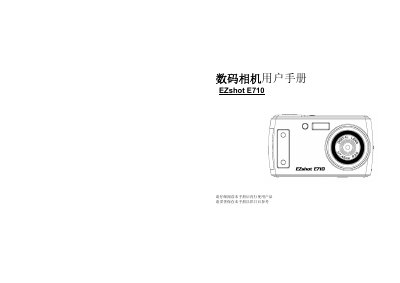
This manual guides users through the EZshot E710 digital camera, covering key features, package contents, and system requirements for Windows, Vista, and Macintosh computers. It includes quick‑start steps, camera modes, LCD icon explanations, and preparation before use.
Detailed sections describe battery and SD‑card installation, power‑on procedures, software installation (PhoTags Express), photo/video download, maintenance tips, technical specifications, and troubleshooting advice. This manual is written in Chinese.
| Image sensor | 5MP CMOS |
|---|---|
| Maximum photo resolution | 3072x2304 (7MP) |
| LCD display | 2.4‑inch TFT LCD |
| Digital zoom | 4× |
| Supported SD card capacity | up to 4 GB |
| Battery type | Li‑ion (500 mA) |
Ensure a SD card is installed, use the supplied USB cable, and verify the computer meets the minimum system requirements.
Turn off the camera, insert the SD card until you hear a click, and confirm the LCD shows the card is installed.