
This manual describes how to use the MGI PIXMA 2500 digital camera, including how to install batteries, set the date and time, take pictures, view photos and videos, connect cables, install software, and more.
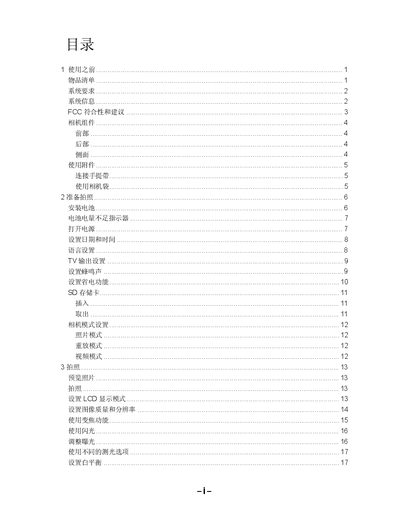
The manual begins with safety and preparation information, system requirements, and a detailed description of the camera's components and controls. It then covers power options, battery installation, and how to use the various shooting modes such as photo, video, macro, and self‑timer.
Later sections explain image quality settings, zoom, white‑balance, playback, connecting the camera to a TV or computer via USB or video cable, installing the supplied software, and a comprehensive troubleshooting guide. The appendix lists the camera’s technical specifications. This manual is written in Chinese.
| Sensor | 400万像素 CCD |
|---|---|
| Lens focal length | 5.69‑16.29 mm, 3× optical zoom, F2.66‑4.92 |
| Maximum image resolution | 2304×1728 |
| Video resolution | 320×240 |
| ISO range | 70 (auto) |
| Internal storage | 16 MB NAND flash |
| Battery type | 2 × AA alkaline or Ni‑MH |
| Dimensions | 92 × 62.2 × 31.5 mm |
| Weight (without battery) | 147 g |
| USB interface | USB 1.1 |
| TV output | NTSC/PAL selectable |
Insert two AA alkaline batteries (or two Ni‑MH rechargeable batteries) into the battery compartment as shown in the manual.
Check that the batteries are installed correctly, that the battery compartment door is fully closed, and that the batteries are not depleted.
From the menu select the option to delete all images; the camera will erase all stored photos and videos.